Generic selectors
Exact matches only
Search in title
Search in content
Post Type Selectors

Steps to delete a program from a Learning Journey.

  1. Navigate to Learning Journeys Menu

    1. Click Learning Journeys on your menu bar.

  2. Select Program 

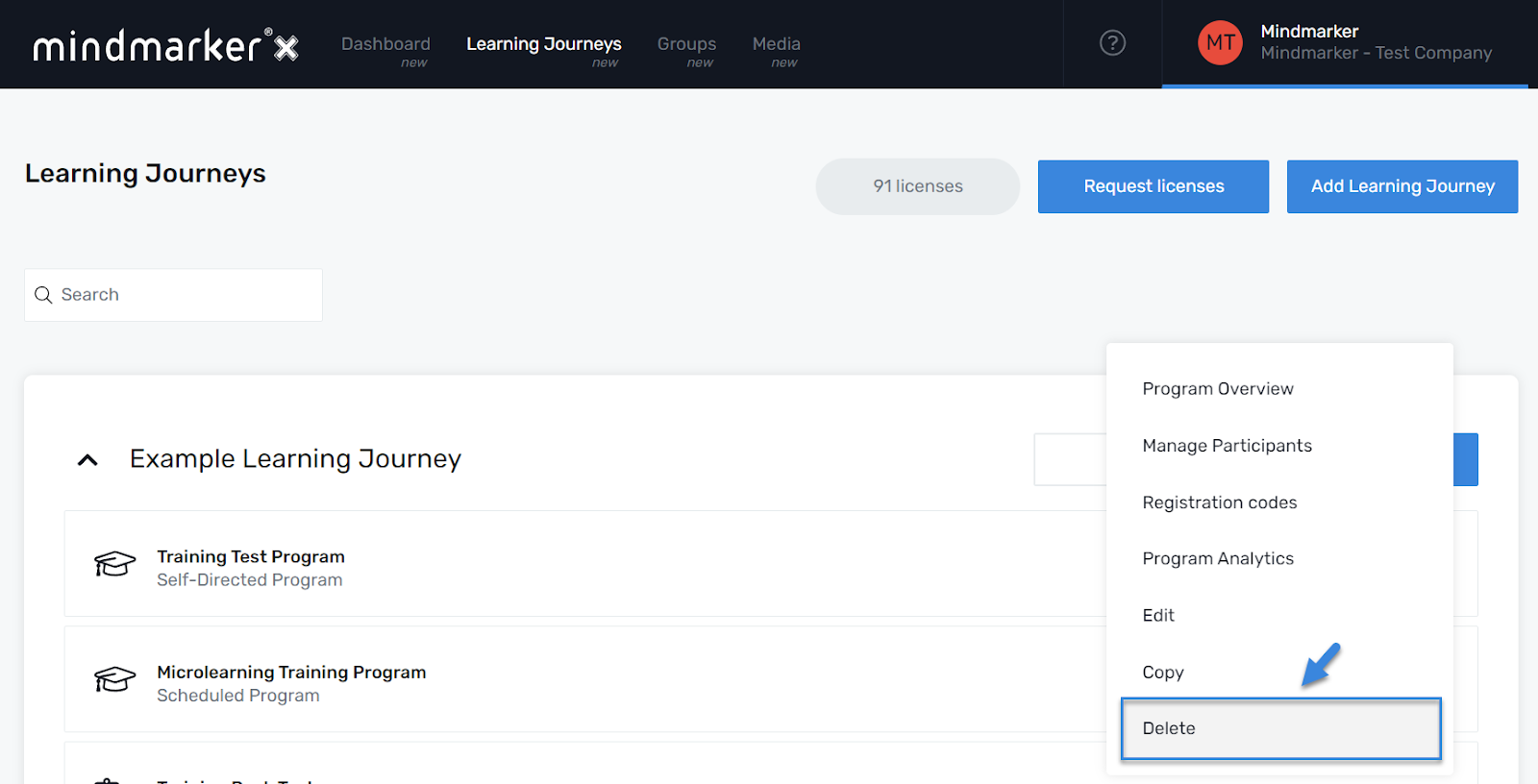
    1. Choose the program you want to delete by selecting the (⋮) menu, then click Delete

  3. Delete Program 

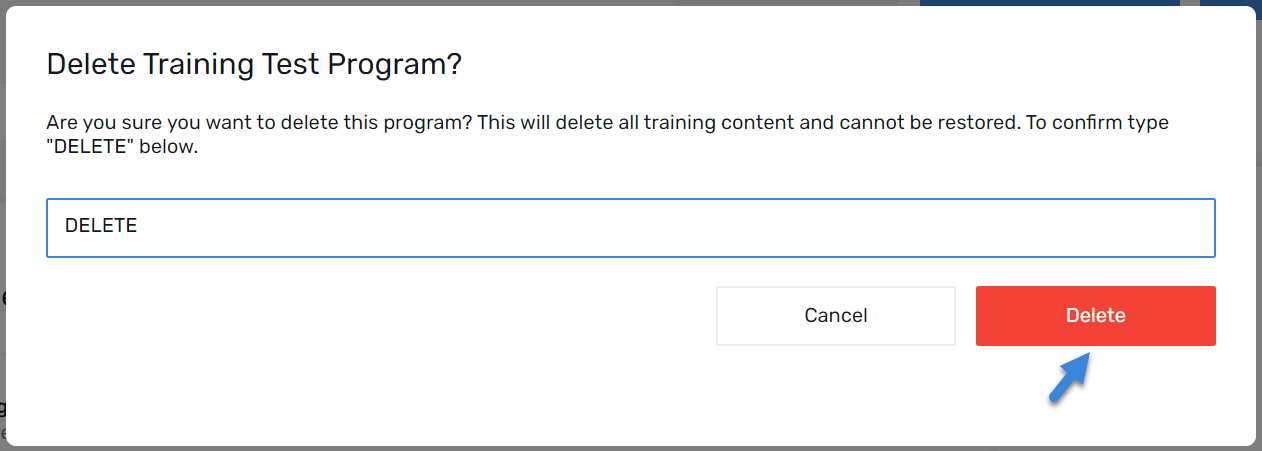
    1. When the pop-up screen displays, type the word DELETE in the text box and click Delete to remove the program.

    1. pop-up message will appear confirming that the program was successfully deleted. 

Let’s Talk Training Transformation

Schedule a Demo or Request a Consultation

*Required fields

Ready to scale your training business?

Book a demo and see the platform in action

Ready to turn your expertise into scalable revenue?

Be the first to know when Ready-to-Sell Training Programs launch. Join our newsletter for early updates, exclusive access, and new program releases.

See Mindmarker in Action

Alex - CEO & Co-Founder

Book a 15-minute demo with our CEO to explore how Mindmarker can transform your training business into a scalable revenue engine.

No pressure. Just a real conversation about your goals and growth opportunities.