Generic selectors
Exact matches only
Search in title
Search in content
Post Type Selectors

Steps to edit information for existing participants.

  1. Navigate to Groups Menu

    1. Click Groups on your menu bar.

  2. Select Group

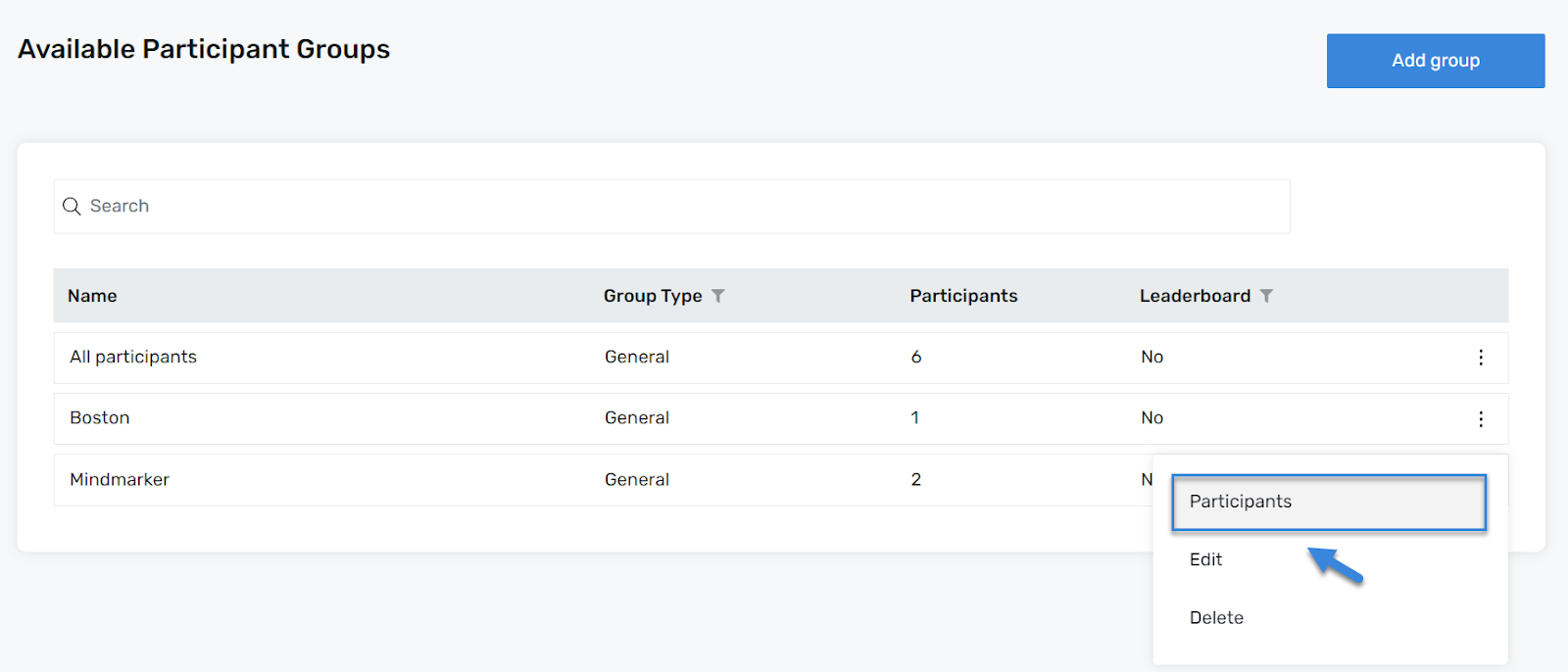
    1. On the Available Participant Groups screen, select the group by clicking the (⋮) menu, then click Participants.

  3. Search for Participant(s) 

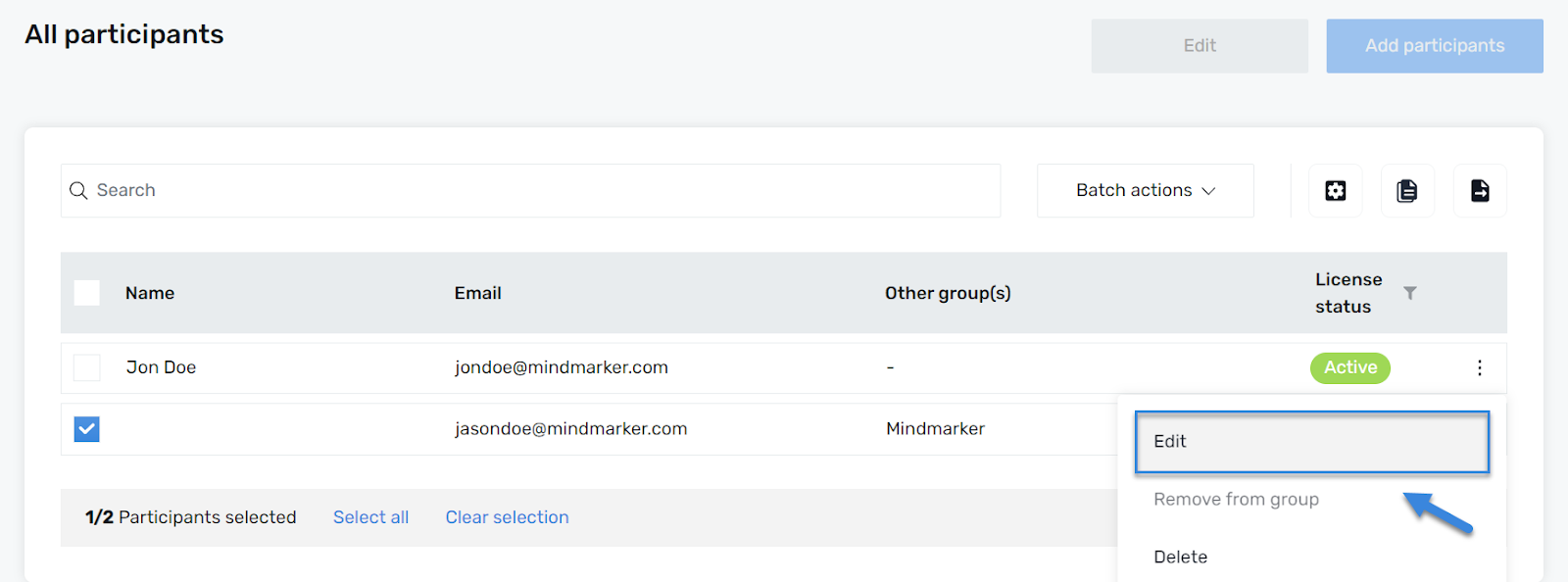
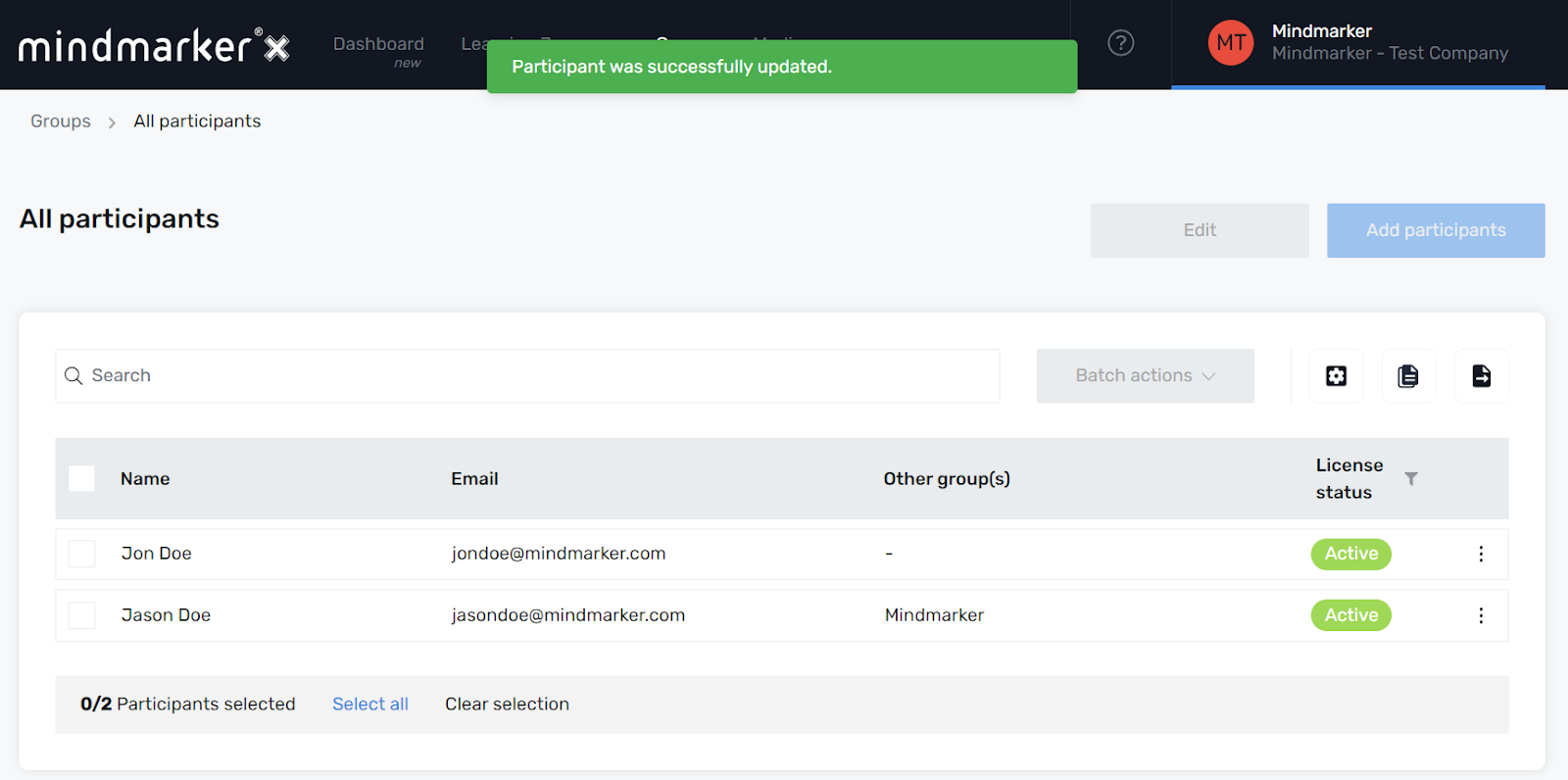
    1. Once you’ve selected your Group and reached the All participants screen, mark the participant(s), click the (⋮) menu, then click Edit.

  4. Edit Participant(s) 

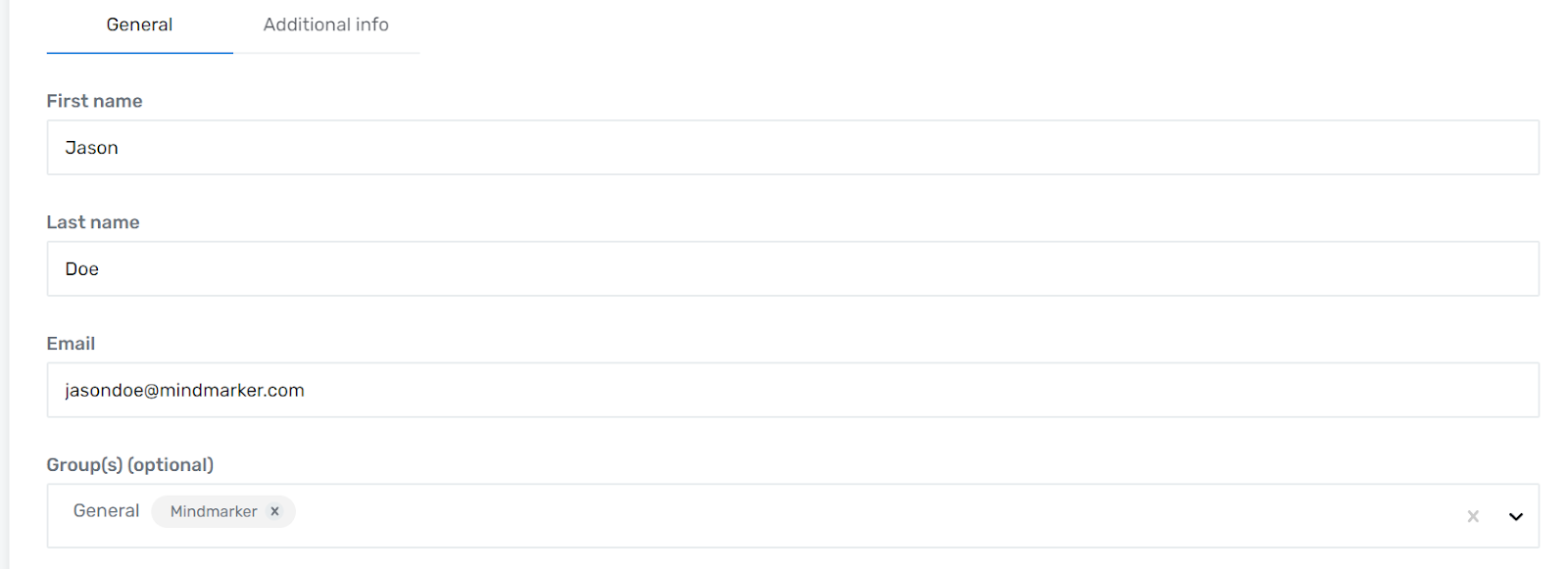
    1. Make the necessary changes under the General and Additional info tabs.

  5. Click Save

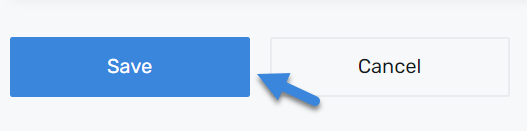
    1. Click the Save button to complete the changes.


    2. pop-up message will appear confirming the information was successfully updated.

Let’s Talk Training Transformation

Schedule a Demo or Request a Consultation

*Required fields

Ready to scale your training business?

Book a demo and see the platform in action

Ready to turn your expertise into scalable revenue?

Be the first to know when Ready-to-Sell Training Programs launch. Join our newsletter for early updates, exclusive access, and new program releases.

See Mindmarker in Action

Alex - CEO & Co-Founder

Book a 15-minute demo with our CEO to explore how Mindmarker can transform your training business into a scalable revenue engine.

No pressure. Just a real conversation about your goals and growth opportunities.