Steps to remove participants from existing groups.
Navigate to Groups Menu
Click Groups on your menu bar.
Select Group
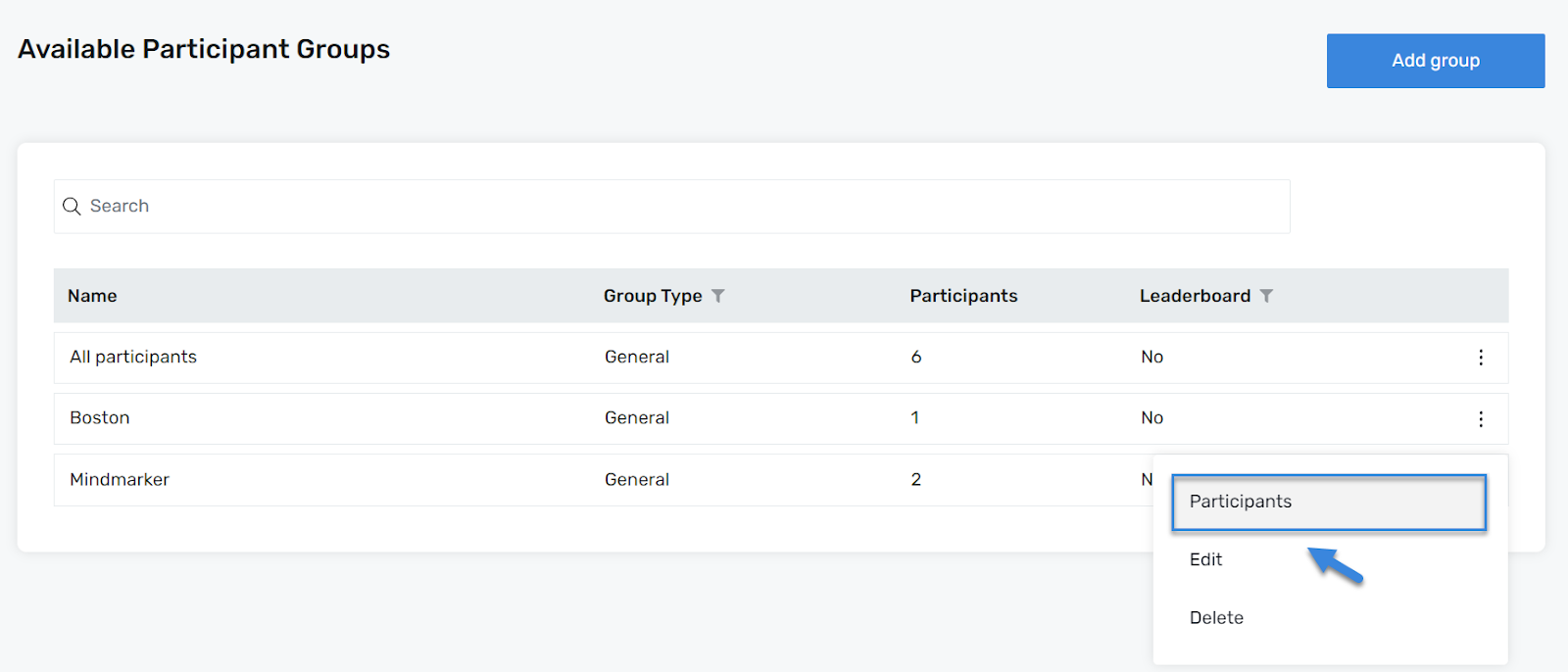
On the Available Participant Groups screen, click the Group you want to delete the participant(s) from by selecting the (⋮) menu, then click Participants.
Remove Participants
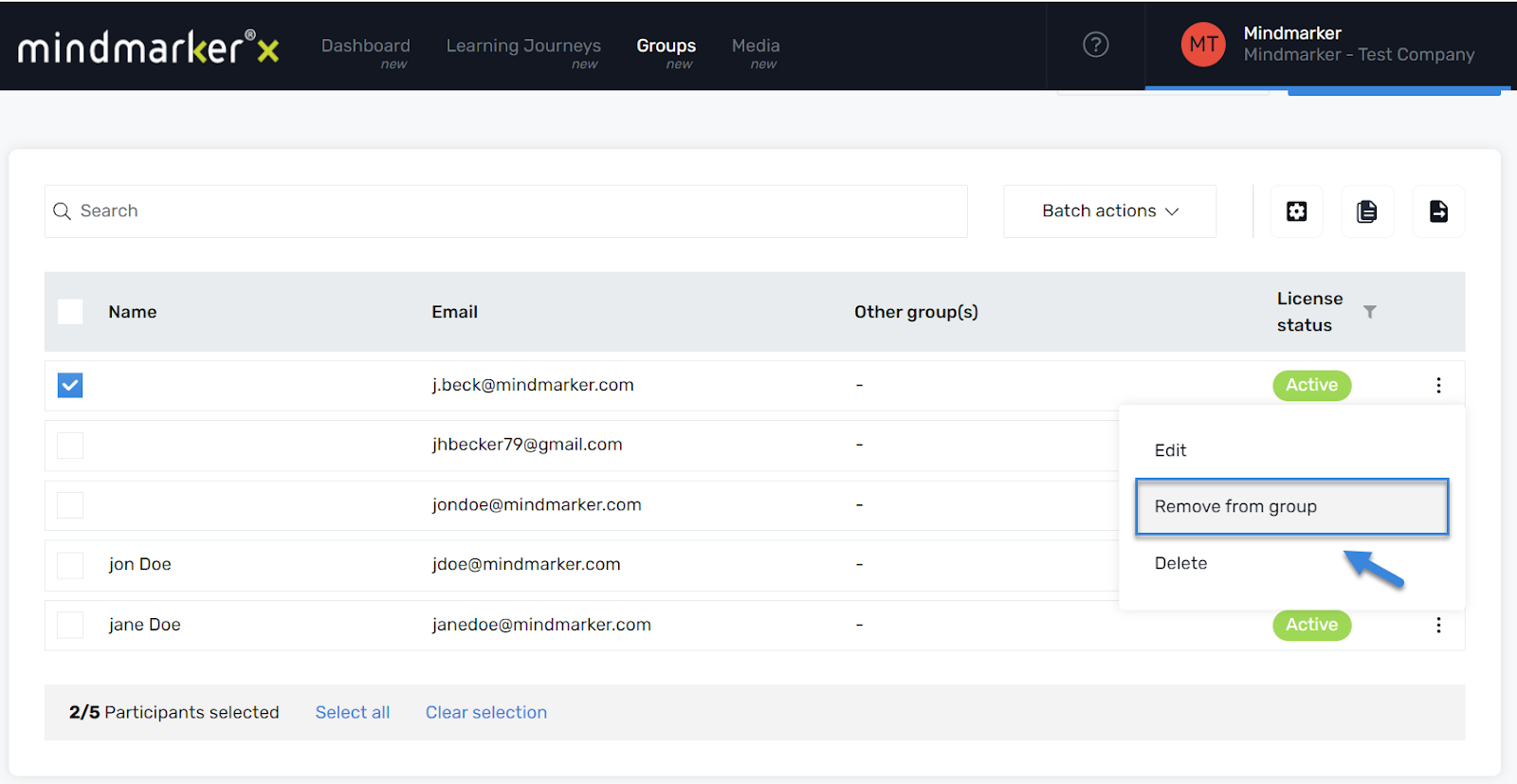
Once you’ve selected your Group, mark the participant(s) and remove them by selecting the (⋮) menu, then click Remove from group.
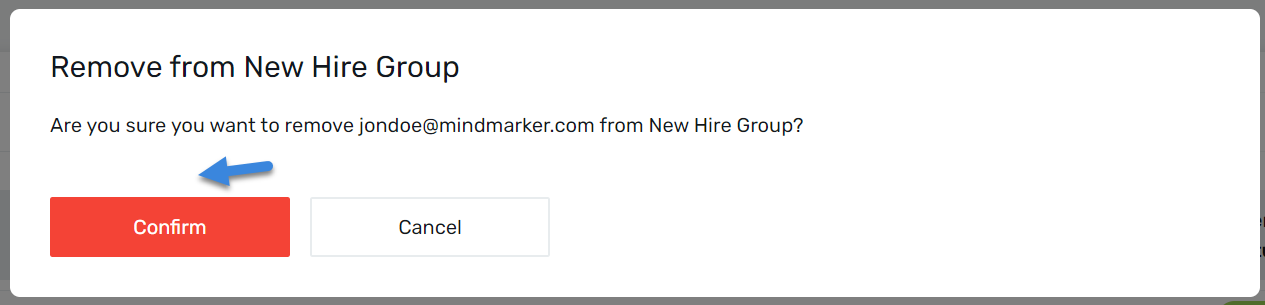
When the Remove from New Hire Group pop-up screen appears, click Confirm.
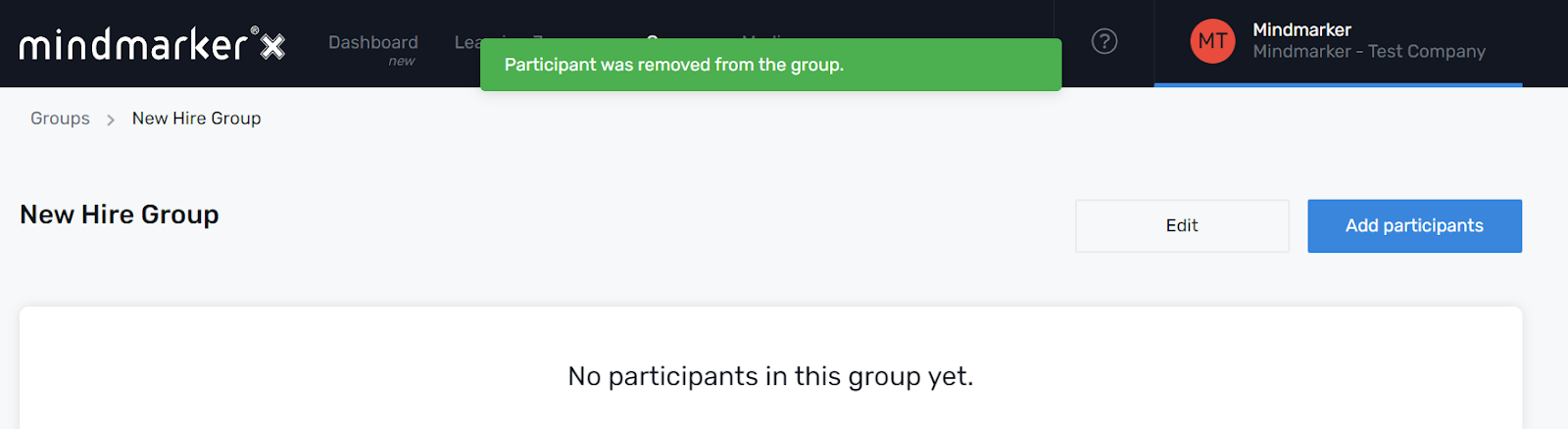
A pop-up message will appear confirming the participant was removed from the group.
We use cookies to ensure that we give you the best experience on our website. If you continue to use this site we will assume that you are happy with it.