Generic selectors
Exact matches only
Search in title
Search in content
Post Type Selectors

Steps for an administrator to request a new Admin Portal password. 

  1. Navigate to Mindmarker Admin Portal

    1. If you’re an administrator, navigate to https://portalapp.mindmarker.com.
  2. Login to Admin Portal

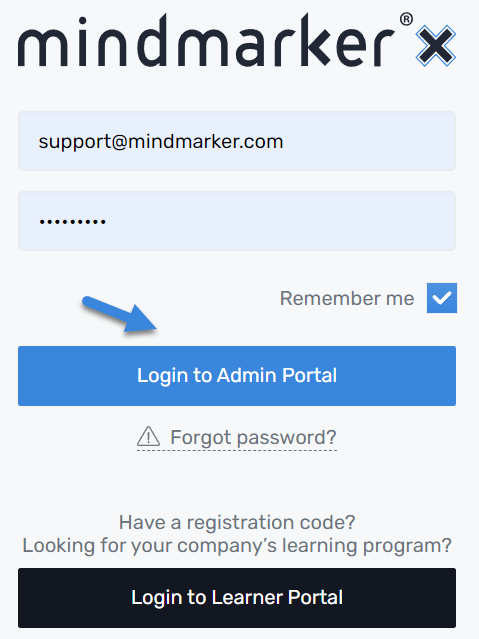
    1. Enter your Username (Email) and Password, then click Login to Admin Portal.


  3. Access Account Settings

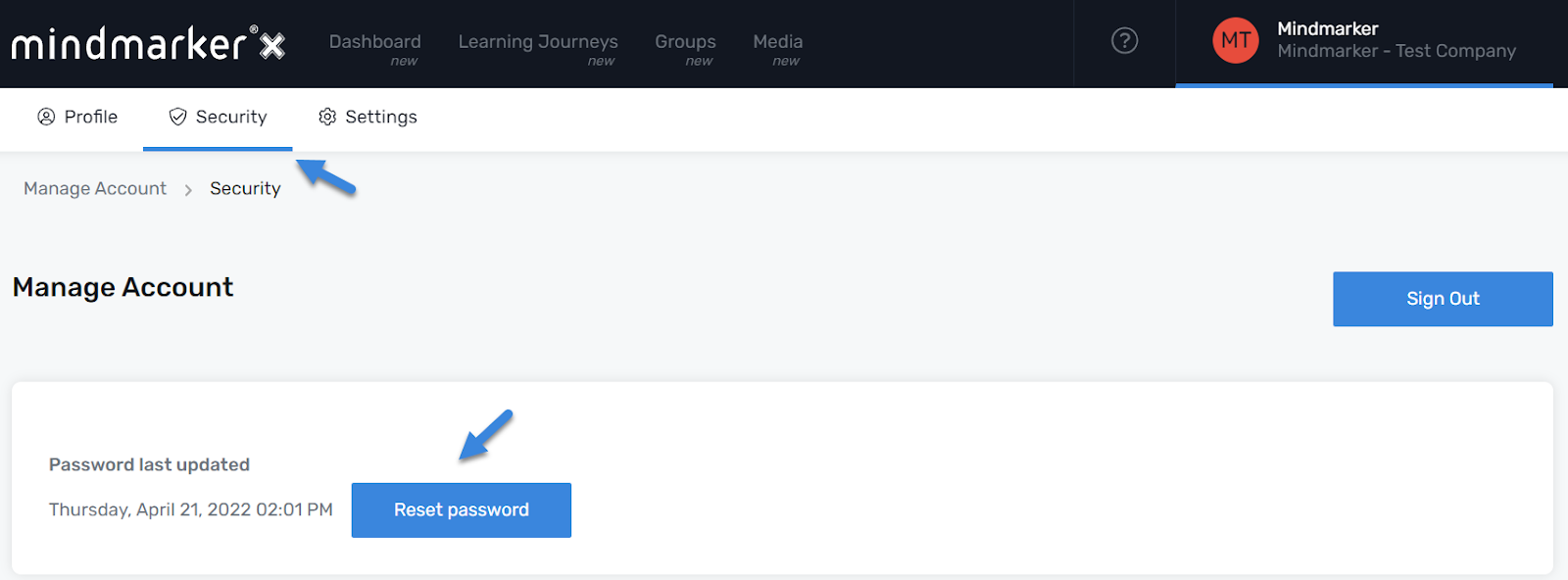
    1. On the top right of your screen, hover over your name and click Account Settings.


  4. Reset Password

    1. Click Security and Reset password.


    2. pop-up message will appear confirming that an email was sent with instructions on how to reset the password.


      Note: If you don’t receive an email within 10 minutes, please search your junk/spam folder. We suggest adding noreply@mindmarker.com to your list of approved senders to avoid any delivery issues. Should you need further assistance, email us at support@mindmarker.com and we’ll reach out within one business day. 

Let’s Talk Training Transformation

Schedule a Demo or Request a Consultation

*Required fields

Ready to scale your training business?

Book a demo and see the platform in action

Ready to turn your expertise into scalable revenue?

Be the first to know when Ready-to-Sell Training Programs launch. Join our newsletter for early updates, exclusive access, and new program releases.

See Mindmarker in Action

Alex - CEO & Co-Founder

Book a 15-minute demo with our CEO to explore how Mindmarker can transform your training business into a scalable revenue engine.

No pressure. Just a real conversation about your goals and growth opportunities.