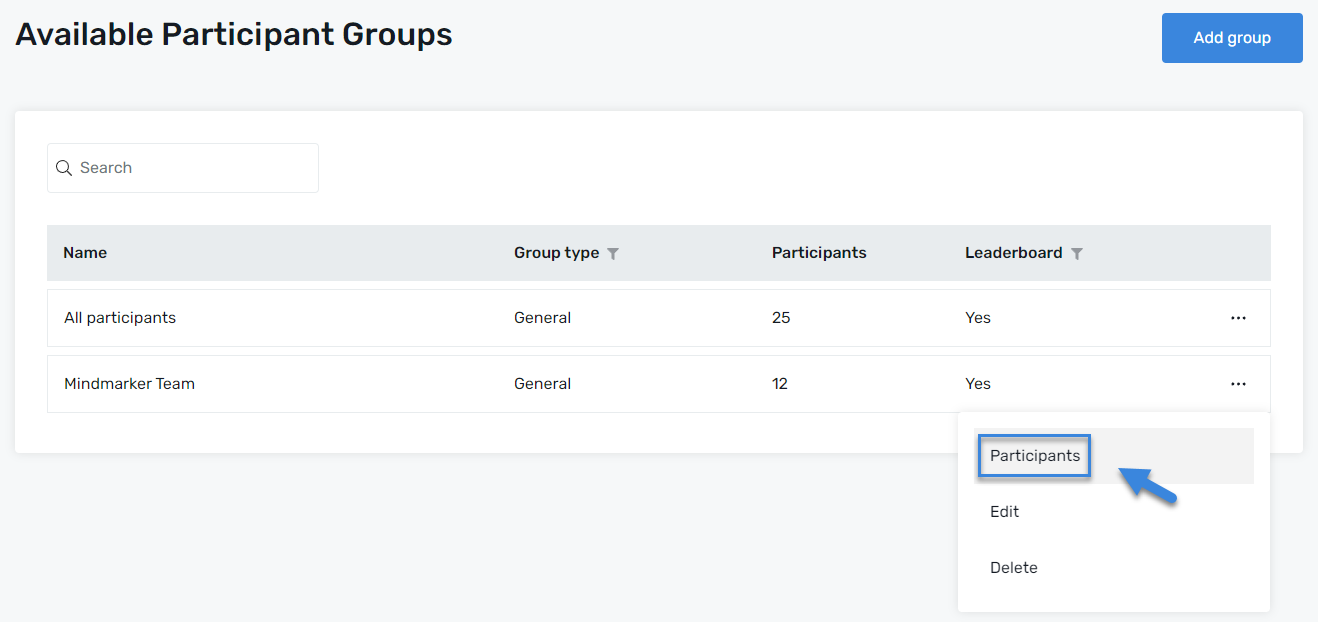
On the Available Participant Groups screen, click the Group you want to add participants to by selecting the (⋮) menu, then click Participants.
Add Participants
Once you’ve selected your Group, click Add Participants.
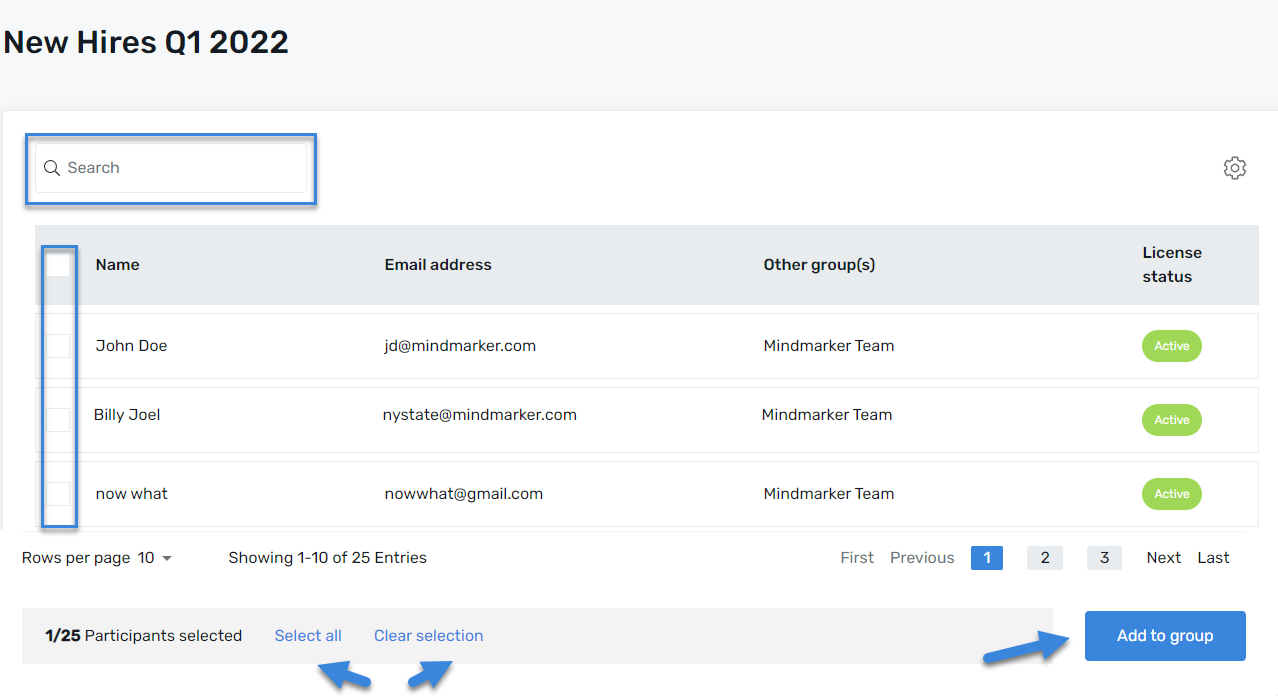
A list of all participants will populate. To add participants to a group, either search by name or email address, then select an individual or all participants.
Once all required fields are complete, click the Add to Group button.
A pop-up box will appear to confirm the names selected. When ready, click Confirm.
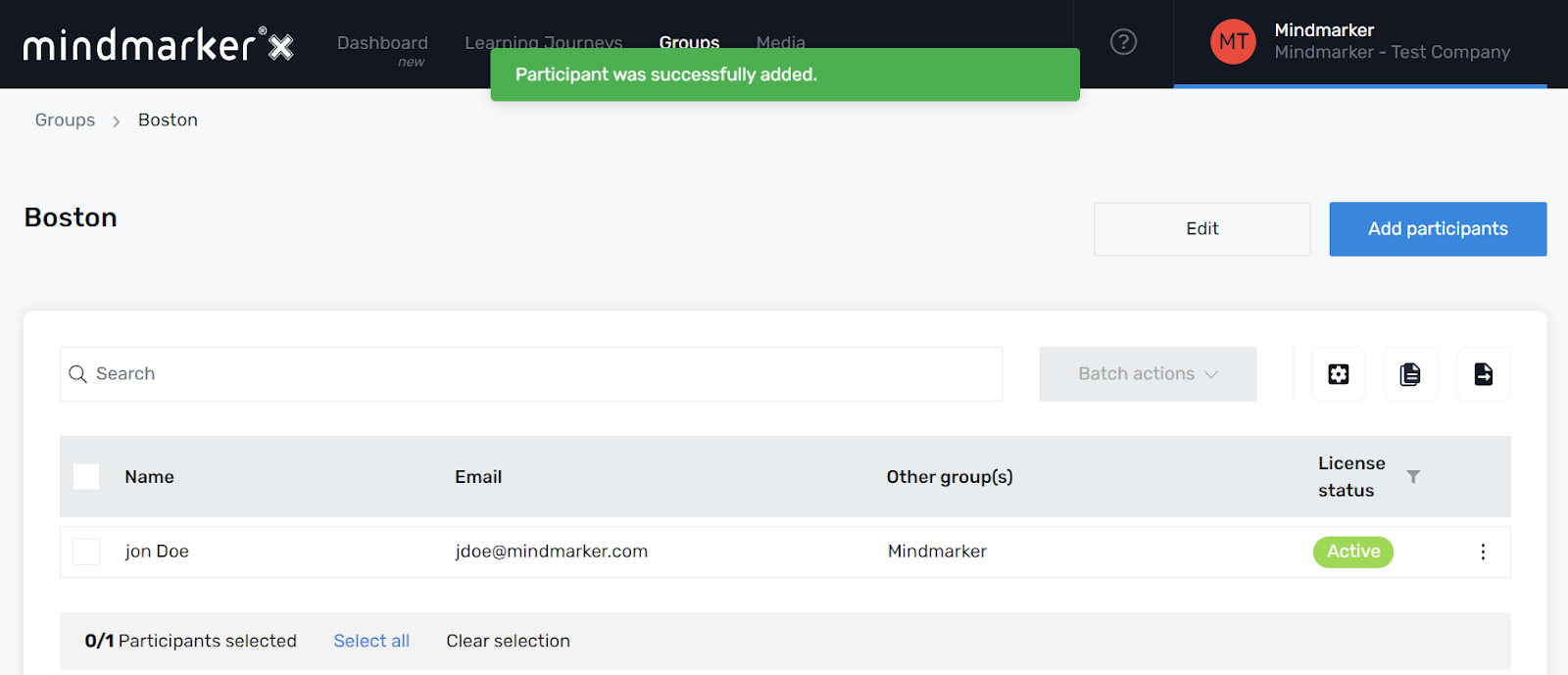
A pop-up message will appear, confirming the addition of participant(s) to the group.
We use cookies to ensure that we give you the best experience on our website. If you continue to use this site we will assume that you are happy with it.