Generic selectors
Exact matches only
Search in title
Search in content
Post Type Selectors

Steps to use Teaching Style for program with MM-Assist

1. Navigate to Learning Journeys Menu


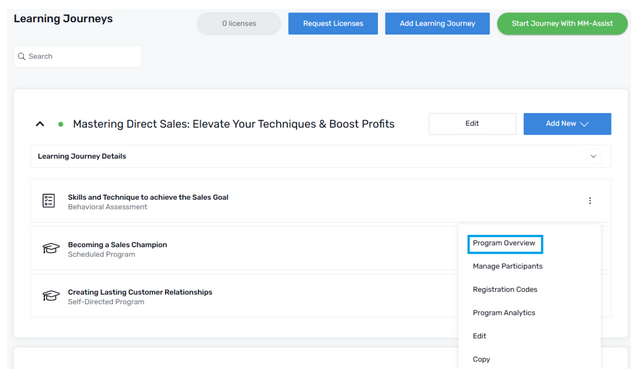
2. Select the Program

a. Select Program Overview from the (⋮) menu to select the desired teaching style for a certain program.
 

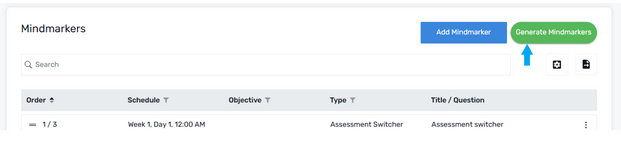
3. Generate a Mindmarker

a. Click the Generate Mindmarkers button
 

4. Select Teaching Style

a. Enter the required fields provided under Create Mindmarker content
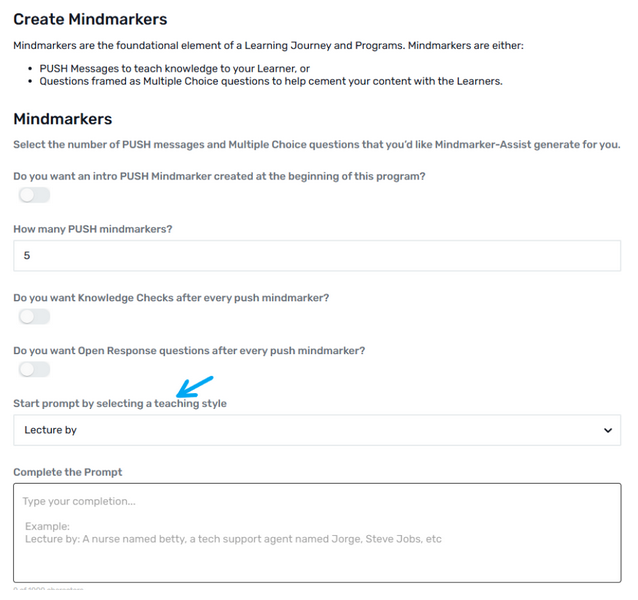
 

b. Scroll down to the option “Start prompt by selecting a teaching style” and select any style from the dropdown menu.
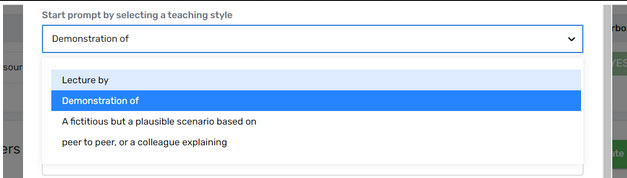
 

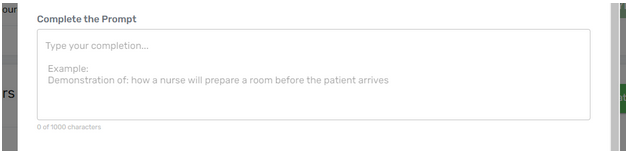
c. After selecting the Teaching Style, complete the prompt section.
 

5. Click OK

a. Click the OK  button to generate the mindmarker.
 

b. MM-Assist will start generating the Mindmarkers with the selected teaching style.
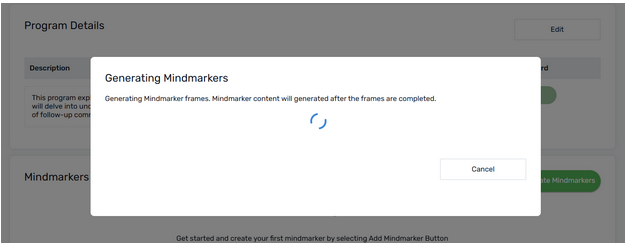
 

c. A  confirmation message pop ups one the mindmarkers are generated.

 

Let’s Talk Training Transformation

Schedule a Demo or Request a Consultation

*Required fields

Ready to scale your training business?

Book a demo and see the platform in action

Ready to turn your expertise into scalable revenue?

Be the first to know when Ready-to-Sell Training Programs launch. Join our newsletter for early updates, exclusive access, and new program releases.

See Mindmarker in Action

Alex - CEO & Co-Founder

Book a 15-minute demo with our CEO to explore how Mindmarker can transform your training business into a scalable revenue engine.

No pressure. Just a real conversation about your goals and growth opportunities.